
qeda-logo

DocsDeploy your Infrastructure

One-click deploy with Templates

Ready-made stacks — an app with its database, a starter kit, a whole SaaS foundation — deployed with one click, into a new or existing project.

Templates are for starting from something more complete than a blank service: a curated stack — often an app plus the backing service it needs — deployed together, in one click, from a prebuilt image rather than a build.
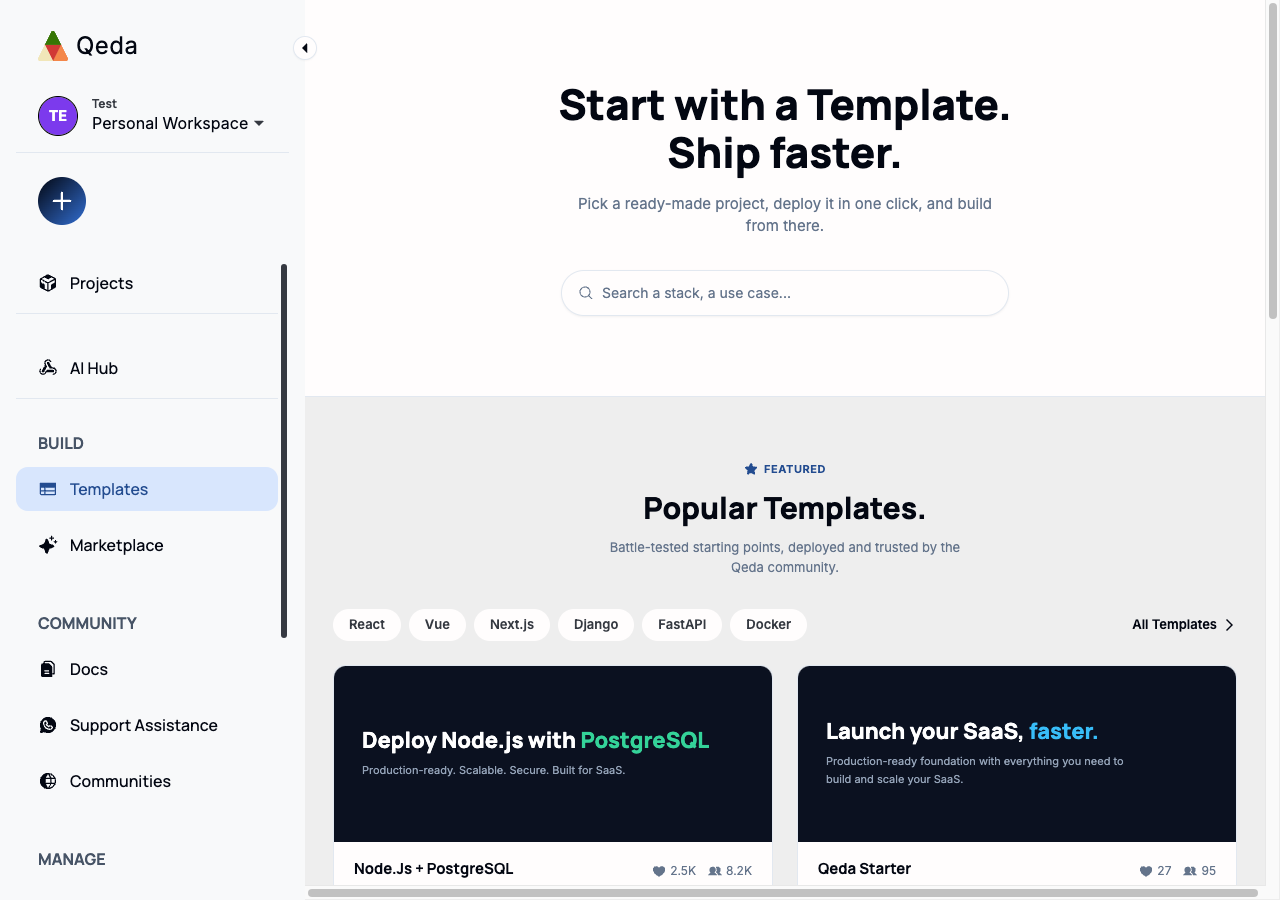
The Templates gallery, with a search bar, stack filter chips, and featured template cards
Filter chips (React, Vue, Next.js, Django, FastAPI, Docker…) narrow the gallery to a stack; each card shows what it ships with and how many times it's been deployed.

Deploying a template

"Deploy" on any card opens a picker: drop the template into any existing project, or type a name to spin up a new one on the spot — no need to leave the gallery to create a project first.
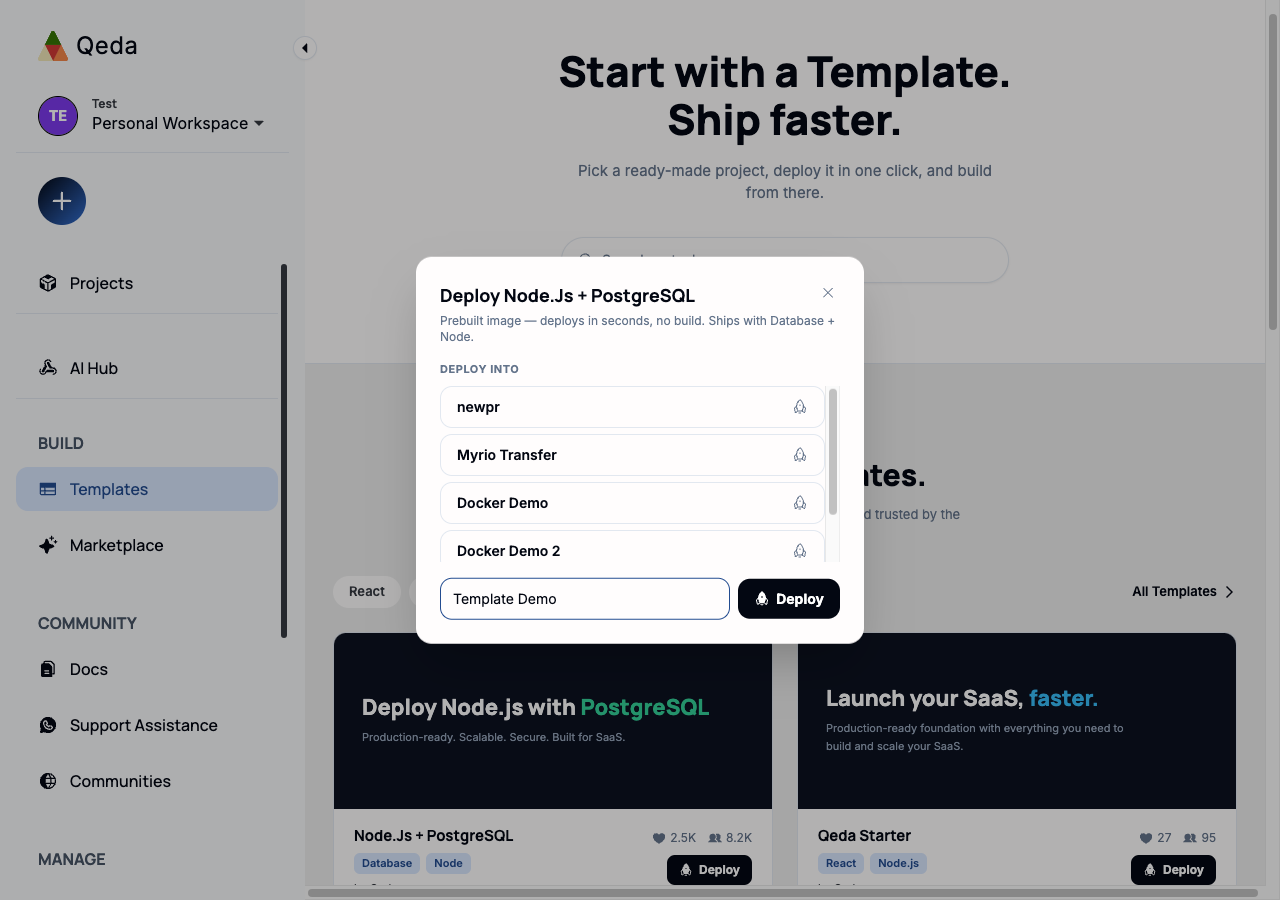
The deploy modal for "Node.Js + PostgreSQL", listing existing projects plus a field to create a new one
The description under the title says exactly what's included — here, "Ships with Database + Node" for the Node.js + PostgreSQL template.

Because it's a prebuilt image, deployment skips the build step entirely, the same way Deploying a Docker image does — the difference is a template can provision more than one service at once, wiring them together automatically.
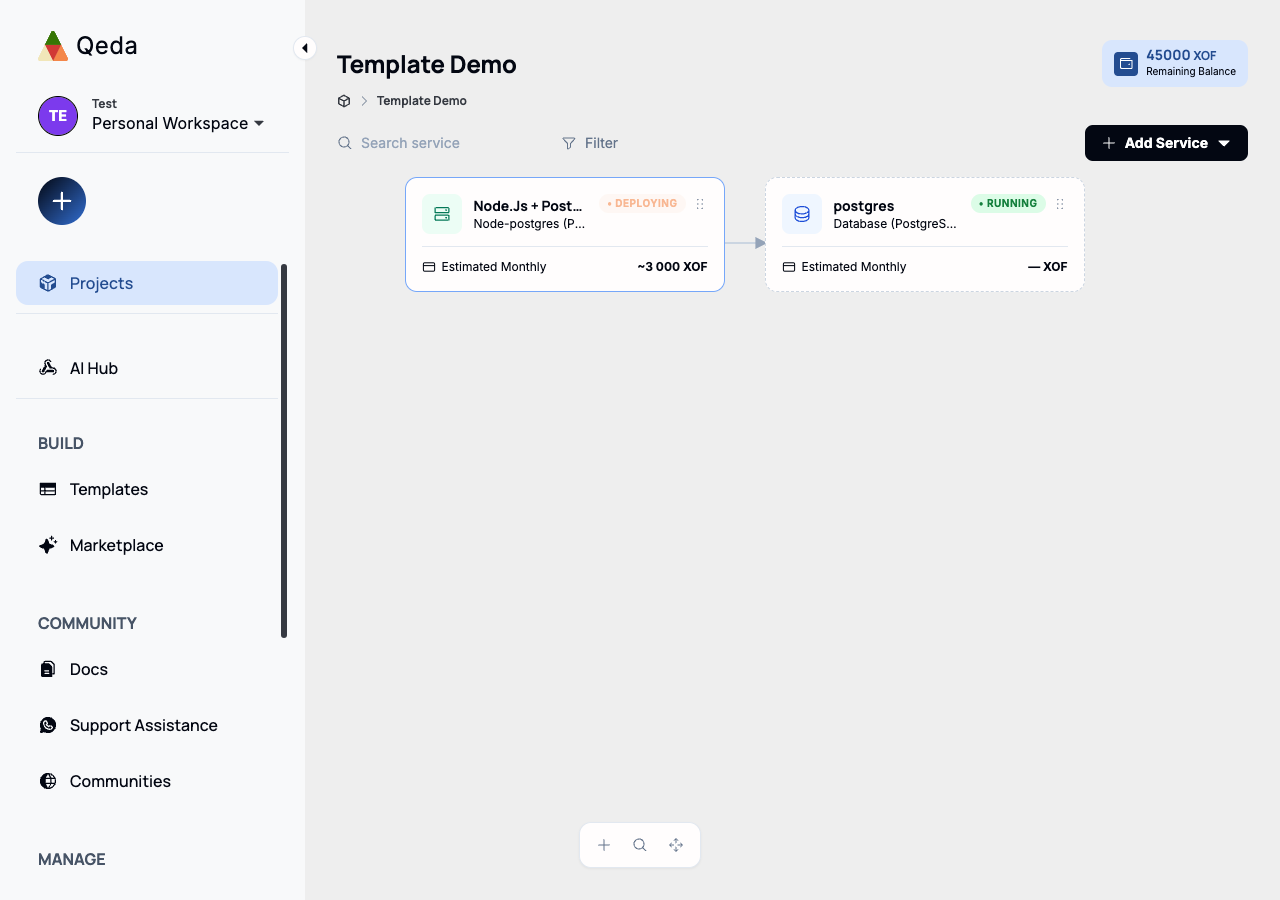
The project canvas after deploying the Node.js + PostgreSQL template, showing two connected service cards
One click produced two cards — the app and its Postgres companion, already connected — instead of deploying and wiring each one by hand.

Note. Everything from here on — logs, environment variables, custom domains, settings — works exactly the same as a service deployed from Git or Docker. Templates only change how a service starts existing, not how it's operated afterward.