
A project is the container for everything related to one app: every service you deploy belongs to exactly one project, and a project can hold as many services as it needs — a web app, a database, a background worker, all in the same place.
Before you deploy anything
A brand-new project looks exactly like the "Launch a New Service" screen — search bar, GitHub, Templates, Docker, and the rest. There's nothing else to configure first; picking how to deploy is the only step.
The architecture canvas
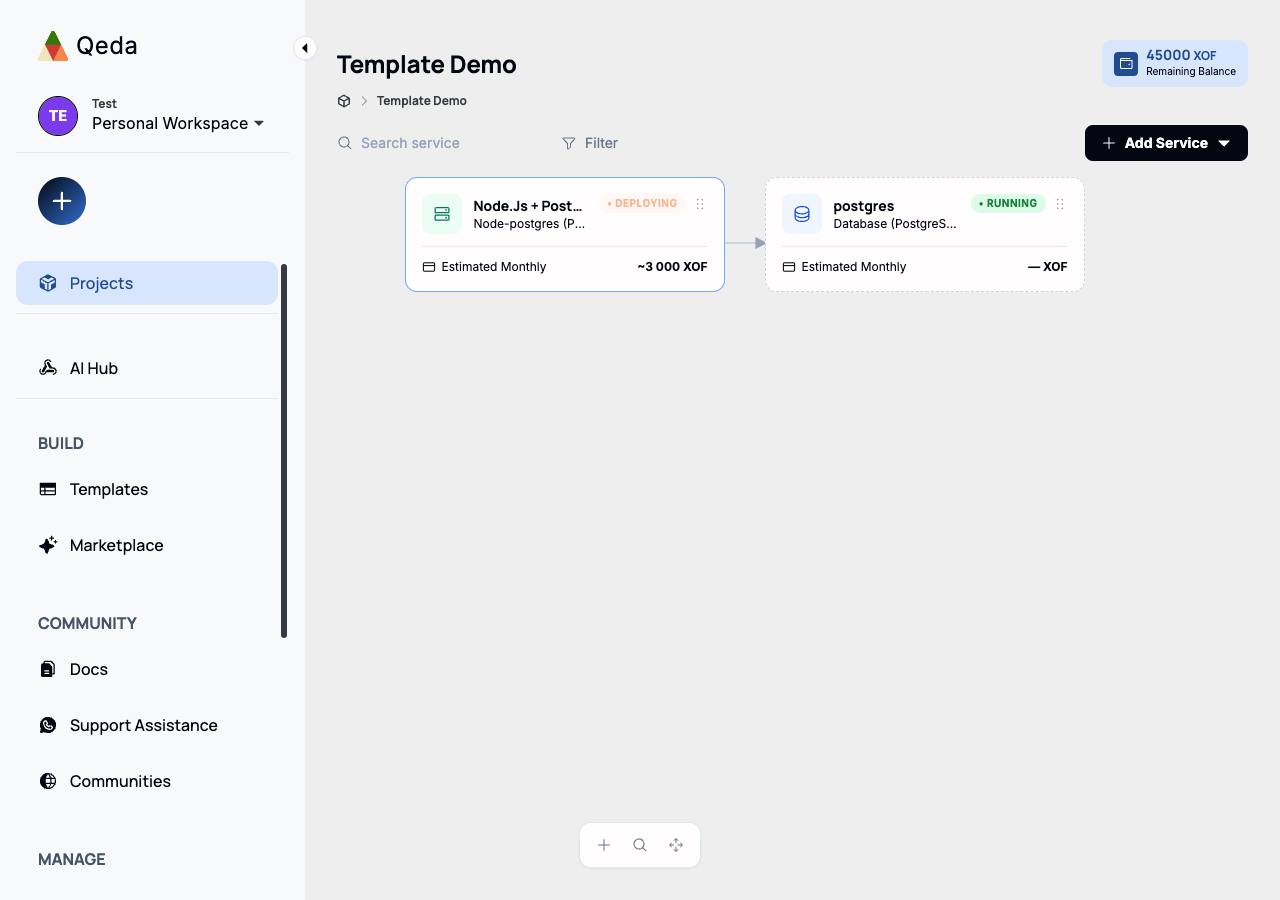
The moment a project has at least one deployed service, its page changes for good: instead of the launcher, you get a visual canvas — a card for your app, and a card for every dependency it needs.
- Companion services (a Postgres database, a Redis cache) are detected automatically from your repo and drawn as their own cards, connected to your app with an arrow.
- You can also add a companion manually — the same "+ Add service" pattern Railway users will recognize.
- Cards can be renamed and repositioned on the canvas; your layout is remembered.
- Clicking any card — app or companion — opens its detail panel: status, logs, and configuration.
Multiple projects
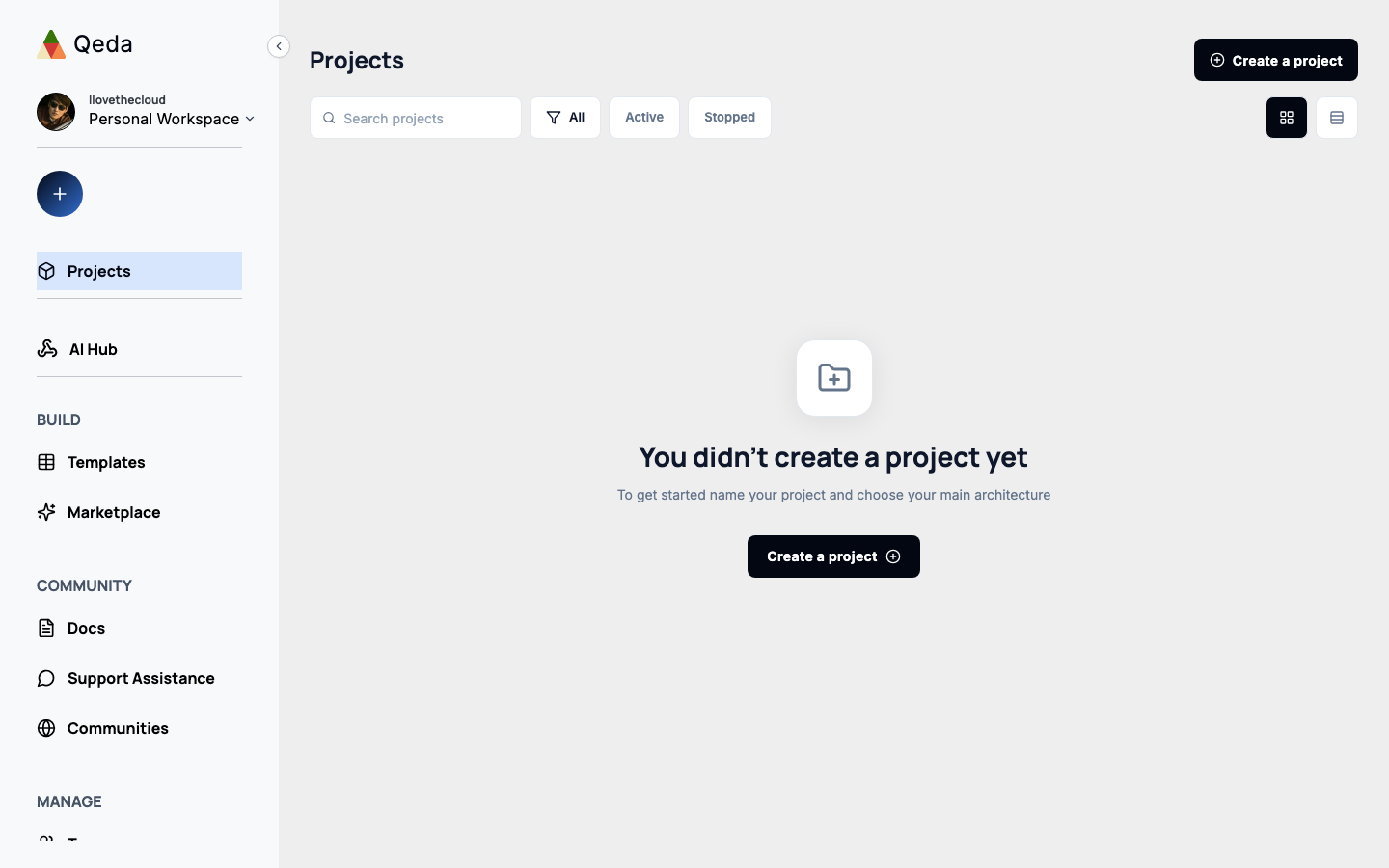
The Projects page lists every project you have access to, with a live status per service. You can filter by All, Active, or Stopped, switch between a card grid and a table, and search by name.
Who can access a project
Each project has its own members, independent of who else is on your team. Roles are Owner, Admin, Editor, and Viewer — Viewer can see everything but can't deploy or change configuration, while Editor can do both short of removing members or deleting the project.