Team workspaces — everything covered in the previous two articles — are a Business-plan feature. A Discovery account visiting Team sees an upgrade prompt in their place, not an empty grid.
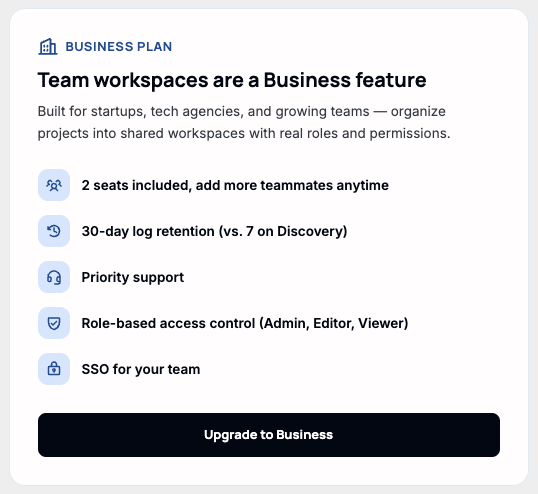
What's included
Clicking through opens the full plan comparison — Discovery, Business, and Enterprise side by side, with pricing resolved to the account's own billing currency rather than a flat USD number.
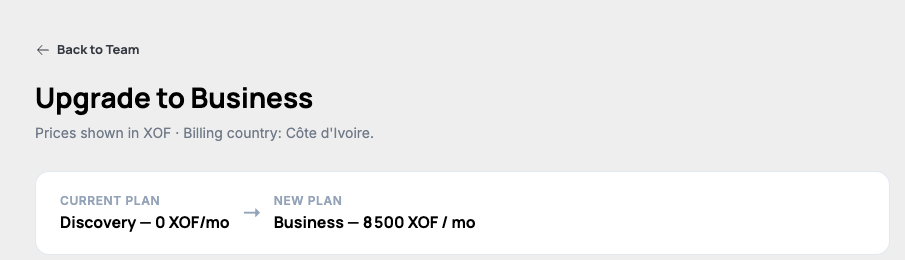
Business adds a second seat, 4x the compute ceiling, longer log retention, and the Owner/Admin/Editor/Viewer roles covered earlier in this category. For the full feature-by-feature breakdown (Discovery vs. Business vs. Enterprise), see the pricing page:
qeda.io/pricingNote. Enterprise isn't self-serve — its column links to "Contact Sales" instead of a checkout button, same as Business does for accounts whose billing currency isn't wired up for self-checkout yet.
Checking out
"Get Business" starts the same hosted-checkout flow as adding wallet credit (covered in Billing & Wallet) — it redirects to a payment page rather than collecting card details in this app, and returns here once payment succeeds or is cancelled.